Query with VoidQL
Answer any question about your analytics, purchases and catalog with read-only SQL in Studio.
VoidQL is a read-only version of SQL for your Voidhash data: events, people, subscriptions, transactions, your catalog, paywalls, A/B tests, push and ads. Use it when a built-in report or insight doesn't answer your question. The Query page is on Voidhash Cloud.
The Query page is in early access. Ask us on Discord, or email support@voidhash.com on a paid plan, to turn it on for your team.
The Query page is an optional power-user tool that needs some SQL. For most questions, start with the built-in reports or build an insight by clicking. You can also ask Void to write a query for you.
Answer a question with a query
- Open Analytics → Query.
- Write a query, or paste one from a colleague or Void, and click Run. Results appear as a table under the editor, with the row count below it.
- To keep it, name it and click Save query. Saved queries appear as buttons under the editor; click one to load it. Saving a loaded query again adds a new one rather than updating it. Your whole team sees them, and a saved query can be added to a dashboard. Anyone on the team can save a query. Only its author, an admin or the owner can delete it with Delete saved query; for anyone else, the icon does nothing.
For example, active subscriptions by product:
SELECT pr.name AS product, count() AS active
FROM subscriptions AS s JOIN products AS pr ON pr.id = s.product_id
WHERE s.is_active AND s.environment = 'production'
GROUP BY product ORDER BY active DESC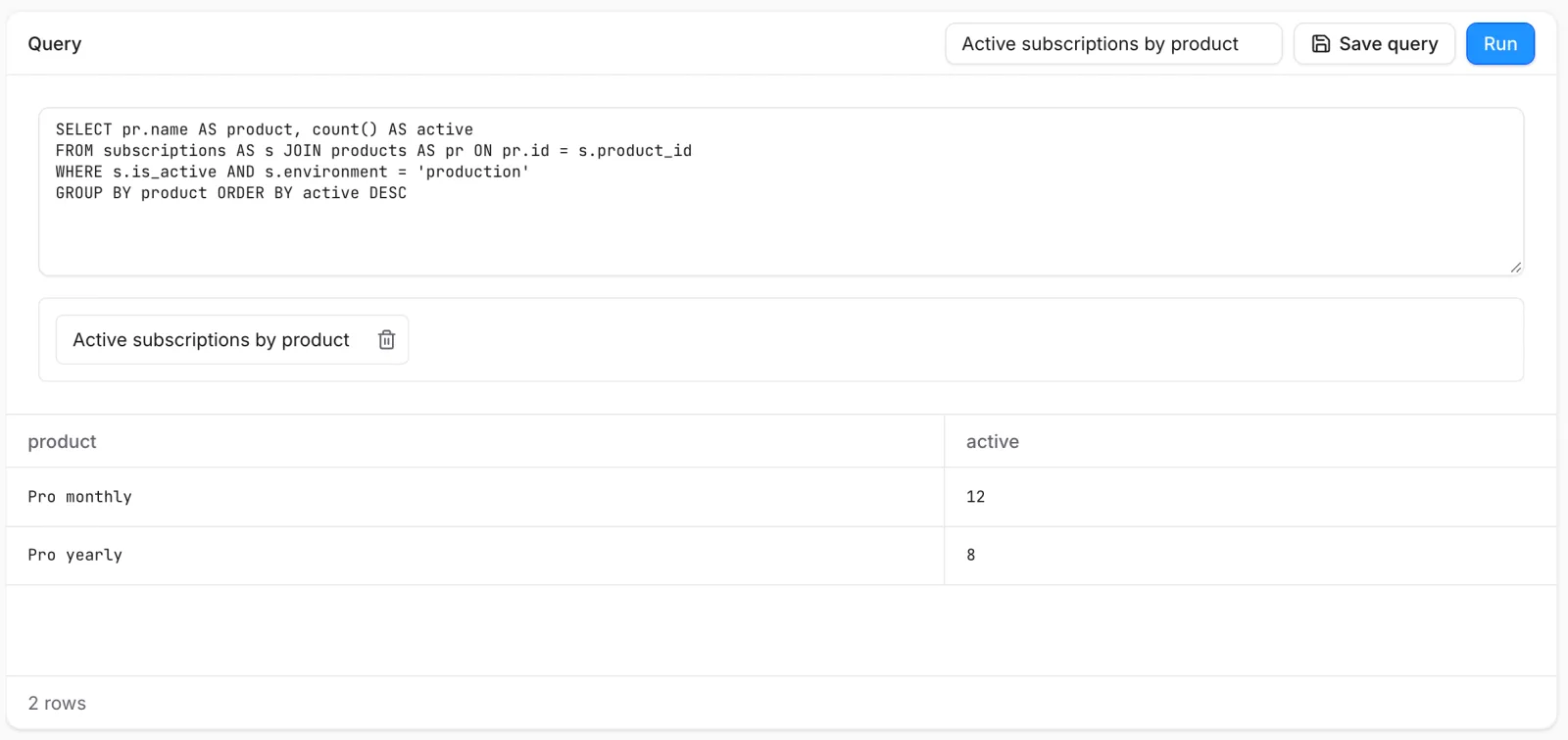 Results and their row count appear under the editor
When a query can't run, the error says what to change; for a misspelled column, it lists the columns you can use. For every function, table and column, see the Full VoidQL reference (developer docs).
Count money and subscriptions correctly
- Every environment is in the tables. Add
environment = 'production'for real revenue and subscriptions. - Money is in cents.
*_amountcolumns are in minor units of the row's currency,*_usdcolumns in US cents.revenue.amount_usdis in dollars, andad_spendis in millionths of the ad account's currency. Queries don't convert to your reporting currency. - MRR adds up over time. MRR at a moment is the sum of every
mrr_change_usdbefore it, so filter the range after summing. - Count people, not rows.
count()overeventscounts events;countDistinct(person_id)counts people.
Times are in UTC, and column names are case-sensitive.
Personal data and limits
Queries that read people's email, name or traits need permission to see people in every project they cover; otherwise the whole query is refused. Every Studio role has it, but some API keys don't.
A query in Studio can read every project in the team whose analytics you can see, and returns up to 100,000 rows. Studio doesn't say when it cuts results off, so when a total matters, count in the query or narrow the range. It runs for at most 20 seconds and can have up to 8 joins. Your team can run 4 queries at once, 60 a minute and 1,000 an hour. If a query runs too long, narrow the time range or group the data before joining.
For developers: the same queries run through the API and the MCP server.
If something's off
- The query takes too long: narrow the time range, or group the data before joining.
- An unknown column: column names are case-sensitive; the error lists the columns each table has.
- Revenue looks too high: add
environment = 'production', and remember amounts are in cents. - The query is refused for personal data: it reads people's names, emails or traits in a project you can't see.
Next steps
Still stuck? Check Troubleshooting, ask us on Discord, or email support@voidhash.com on a paid plan.
Something wrong or missing on this page? Tell us by email or on Discord.