Design for every device
Make a paywall fit small phones and iPads, stay clear of the notch, and work with screen readers.
Studio previews one phone size, but on a device each screen fills the whole display, from a small iPhone to an iPad in either orientation. A few habits in the designer keep a paywall readable everywhere.
Paywalls are in early access. Ask us on Discord, or email support@voidhash.com on a paid plan, to turn them on for your team.
Screen sizes and iPad
The 375 × 812 point frame is only the canvas size. Layers keep their sizes in points, so:
- Arrange content in views with Layout. Set Width to Fill container for anything that should span the screen, such as plan cards and buttons. A layer with a fixed size keeps its width and leaves empty space on wider screens.
- Give layers with Absolute position Constraints: Left & right stretches a layer with the screen, Center keeps it centered, and Bottom pins it to the bottom edge.
- Put content that may not fit a shorter screen inside a scroll view. A screen cuts off anything past its bottom edge.
- Try the build on a small phone, and on an iPad if your app runs there.
Safe areas
Screens draw edge to edge, under the status bar, camera cutout and home indicator. Keep text and buttons out of those areas: leave about 47 points at the top and 34 points at the bottom, as on a recent iPhone. Backgrounds can extend into them.
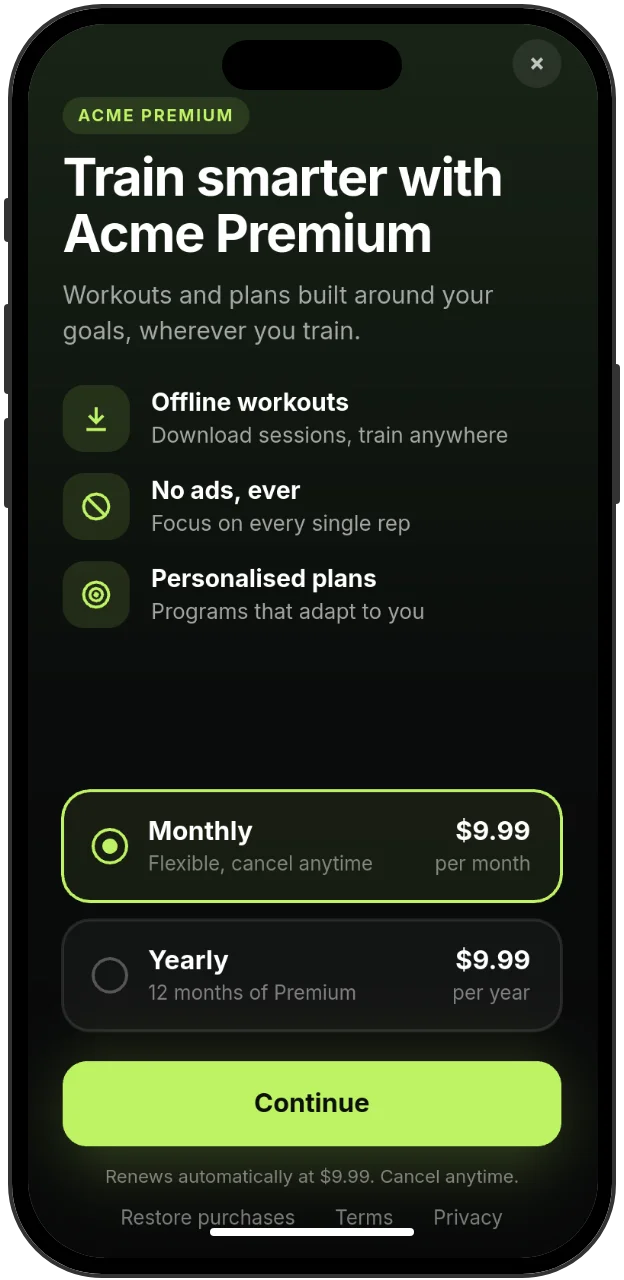 Content stays clear of the camera cutout and home indicator
Dark mode
A paywall has one set of colors and looks the same in light and dark mode. Pick colors that work on both, or ask your developers for a component that adapts.
Accessibility
VoiceOver and Switch Control on iOS, and TalkBack on Android, can read and operate a paywall:
- Text layers are read out as their text.
- A layer with an On click interaction is announced as a button, named by the text inside it. Put a text layer inside every button, even an icon button.
- Images have no description. Never put prices, plan names or terms only in an image.
- With Reduce Motion (iOS) or Remove animations (Android) on, screen transitions finish at once.
Text sizes are fixed: paywalls don't follow the device's larger text settings. Use sizes that stay readable, such as 15 points or more for body text, and keep strong contrast between text and its background.
Right-to-left languages
Arabic and Hebrew text runs right to left inside its text layer, but layouts don't mirror: rows keep their designed order and alignment. For right-to-left translations, prefer centered text and symmetric layouts, and use a font that includes the script. See Translate a paywall and Fonts and images.
If something's off
- Content is cut off on small phones: put it in a scroll view, or reduce spacing.
- Buttons stretch oddly or leave gaps on iPad: check their Width and Constraints.
- A screen reader skips a button: give it a text layer, even when it shows only an icon.
Next steps
Still stuck? Check Troubleshooting, ask us on Discord, or email support@voidhash.com on a paid plan.
Something wrong or missing on this page? Tell us by email or on Discord.