Notices
Messages Voidhash sends your team in Studio and by email, and how to choose which you get.
A notice is a message from Voidhash to the people in your team, such as an analytics alert firing, a usage limit approaching, or a change to an integration. Notices arrive in Studio and by email.
These are separate from push notifications, which you send to the people using your app.
Read notices
The bell next to your name in the sidebar shows how many notices are unread. Open it to read them; opening one marks it read.
- Mark all as read clears the count.
- Archive removes a notice from the list.
- A notice tagged Resolved is about something that has since been fixed.
An urgent notice that isn't resolved, such as usage being paused, also shows as a banner on every page until you Dismiss it, which archives it.
Choose what you get
Open Settings → Team → Notifications, or the gear in the bell's panel. For each category, turn Dashboard (the bell) and Email on or off. Your choices are yours alone and apply to this team.
| Category | Covers | Can be turned off |
|---|---|---|
| Account | Members and team changes | ✓ |
| Billing | Usage limits, the spend cap and payments | – |
| Integrations | Ad accounts, tracking domains and webhooks | ✓ |
| Legal | Changes to the terms and policies | – |
| Product | New features, announcements and analytics alerts | ✓ |
| Security | Sign-ins and access to your team | – |
Billing, Legal and Security notices are always sent.
Notification language sets the language of your notices in every team: English or Čeština.
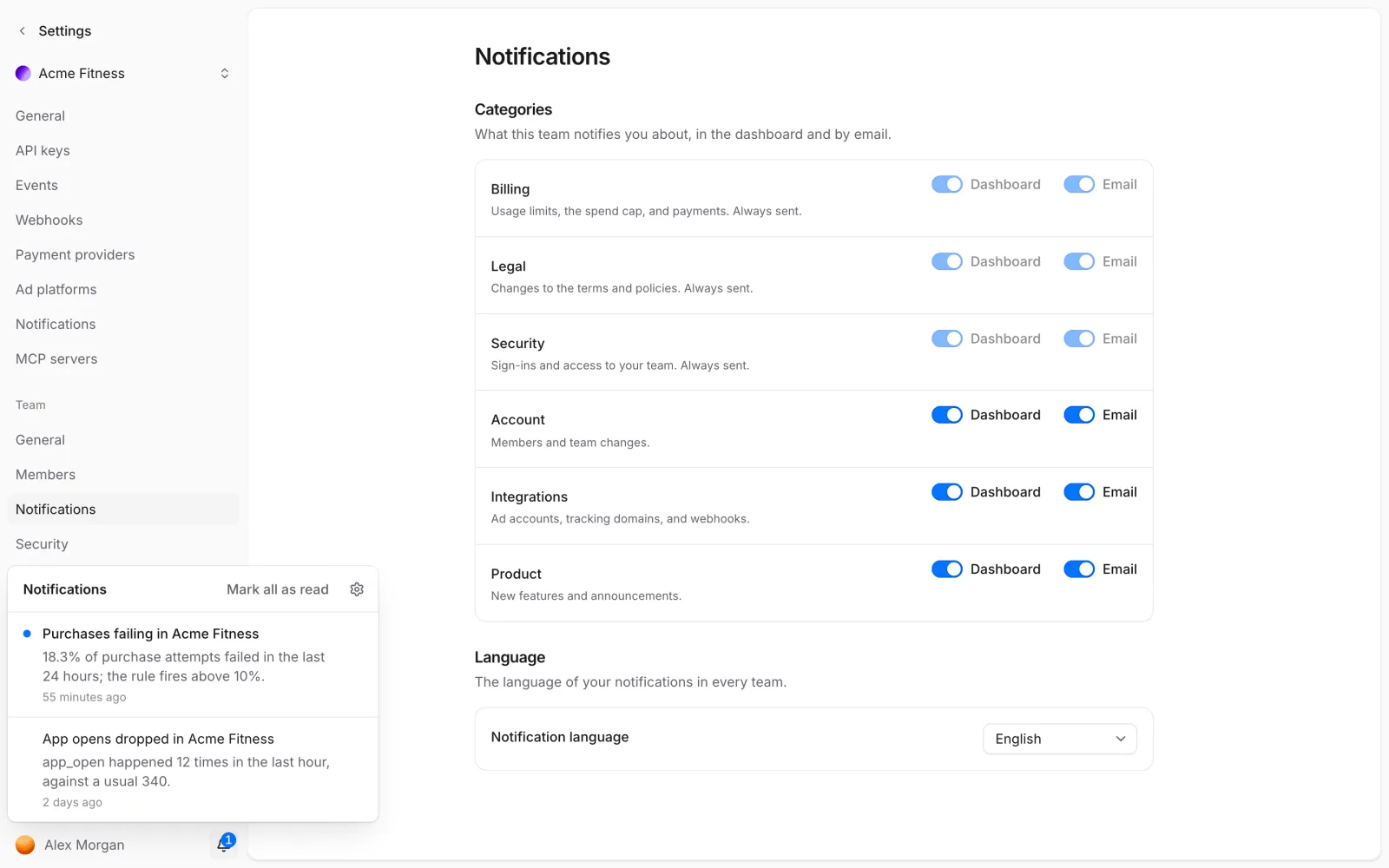 Switch categories on or off; the bell shows recent notices
If something's off
- No email for a notice: check the category's Email switch here, and your spam folder.
- You can't turn off Billing, Legal or Security notices: they're always sent.
- No alert notices: alerts go to admins and the owner only, in the Product category.
Next steps
Still stuck? Check Troubleshooting, ask us on Discord, or email support@voidhash.com on a paid plan.
Something wrong or missing on this page? Tell us by email or on Discord.