Plans and billing
Choose a plan, follow this period's usage, cap your spend and manage payment on Voidhash Cloud.
Your team's plan sets what's included each month and what usage past the allowance costs. Admins and the owner manage it under Settings → Team → Billing. Members see the Billing page but not the plan or usage: it says only owners and admins can manage billing. Billing exists only on Voidhash Cloud: self-hosted deployments have no meters or invoices. For plans and prices, see voidhash.com/pricing.
Your plan
The Billing page shows your plan, its status and the current period's dates (UTC).
| Status | Meaning |
|---|---|
| Active | The plan is paid and in force. |
| Trial | A trial period of the plan. |
| Past due | The latest payment failed. The plan stays in force while Stripe retries; update your payment method. |
| Unpaid, Paused | The plan is suspended. The free plan's limits apply until a payment succeeds. |
Paid self-serve plans are billed monthly through Stripe: the base price at the start of each period, usage at its end. Contract plans are invoiced by contract; contact your account team to change one.
- Subscribe on a plan under Plans to start one through Stripe Checkout.
- Switch to this plan takes effect immediately. The new plan's prices and allowances apply to the whole period's usage, including usage before the switch.
- Manage billing opens the Stripe billing portal, where you update your payment method.
- Cancel subscription keeps your plan until the period ends, then returns the team to the free plan. Usage up to then is invoiced as usual. Resume subscription undoes it before then.
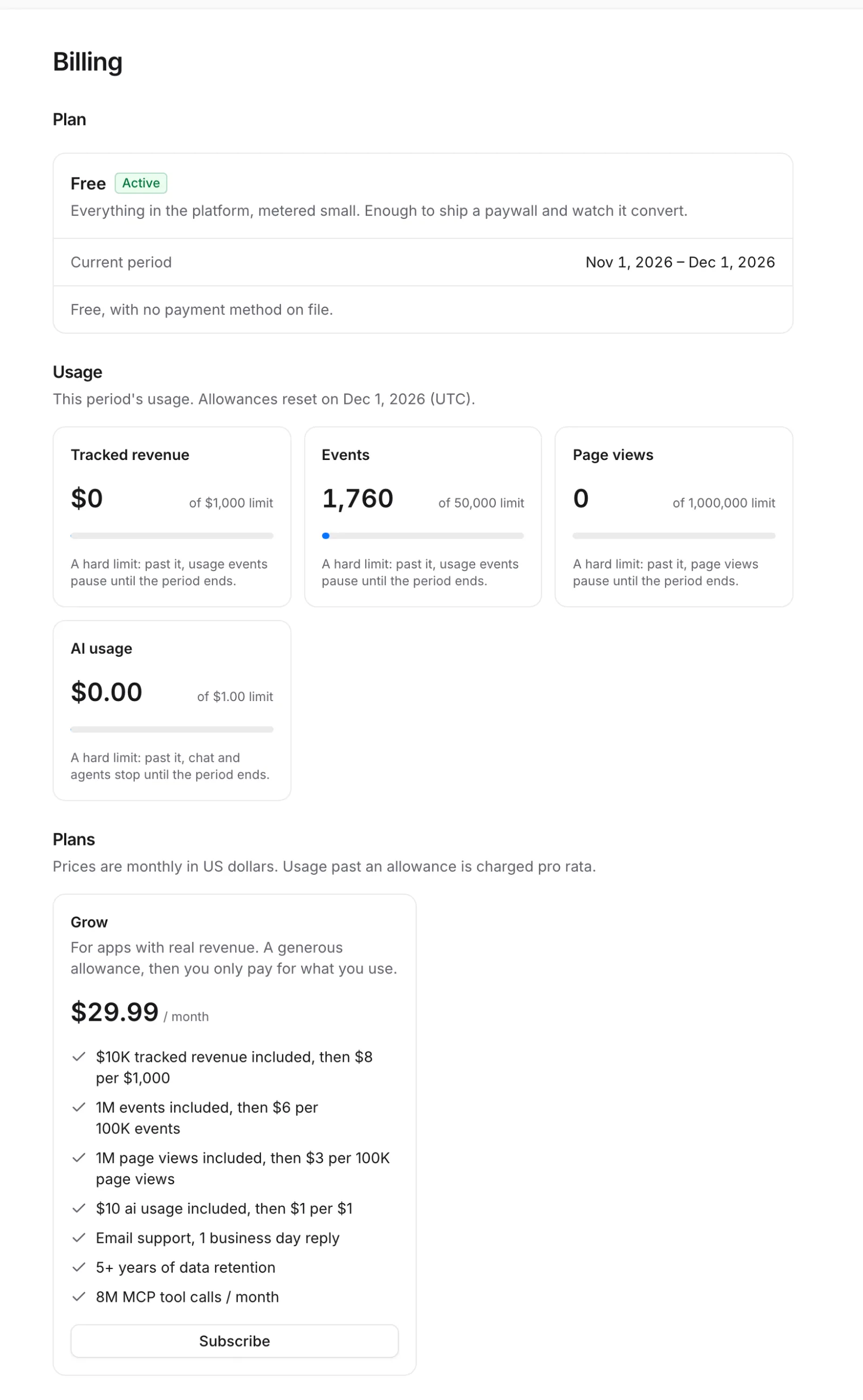 Your plan, what you've used, and the plans you can switch to
Usage
Usage shows this period's meters. Allowances reset at the start of each period.
| Meter | What counts |
|---|---|
| Tracked revenue | Production purchase and renewal revenue Voidhash validates and reports, before store commission and taxes. Sandbox purchases, refunds and free trials don't count. |
| Events | Events the SDKs send, such as screen views, paywall impressions and taps. Page views and purchases don't count. |
| Page views | Page views the web SDK records on each page load and navigation. |
| AI usage | What the AI models behind bots cost, at the providers' list prices. Shown when your team uses bots. |
Each meter is unlimited, has an allowance with usage past it charged pro rata (for the exact amount over), or has a hard limit. Past a hard limit, that usage pauses until the next period: new events or page views aren't stored, or bots can't start new responses. Past a hard tracked-revenue limit, all three pause; revenue itself is still tracked.
Owners and admins get a Billing notice at 80% and 100% of each allowance, limit and the spend cap.
Spend cap
A spend cap is the most you're charged in a billing period. Under Spend cap, enter an amount in US dollars and click Save; Remove clears it. The cap must be at least your plan's base price. A cap equal to the base price allows no usage charges, so usage pauses at your allowances. Spend caps are available on paid plans with usage pricing.
When this period's charges reach the cap, usage pauses until the next period:
- new analytics events and page views aren't stored;
- bots can't start new responses.
Purchases, receipt validation, entitlements, restores, store notifications, webhooks and revenue events keep working whatever your plan, cap or payment state. Every purchase is still recorded.
Raising the cap or upgrading lifts a pause within about a minute. A little usage can go past a limit before it takes effect.
If something's off
- Status is Past due: the last payment failed. Click Manage billing and update your payment method.
- Events or bots stopped: a hard limit or the spend cap was reached. Raise the cap or upgrade; usage resumes within about a minute. Purchases never stop.
- Billing says only owners and admins can manage billing: you're a member. Ask an admin or the owner.
- No Billing page: billing exists only on Voidhash Cloud, not in self-hosted Studio.
- A question about an invoice: email support@voidhash.com.
Next steps
Still stuck? Check Troubleshooting, ask us on Discord, or email support@voidhash.com on a paid plan.
Something wrong or missing on this page? Tell us by email or on Discord.