Refunds and cancellations
Answer a refund or cancellation request, and know who can act on App Store, Google Play and Stripe purchases.
When someone asks for their money back or wants to stop a subscription, first look them up in Studio, then act where they paid. Studio shows purchases from every store, but it can only refund or cancel purchases from a payment source: the store that took the money handles the rest.
Check the purchase
- Find the person in People; see Find a person.
- Under Purchases, note the product, the environment and the state, such as Active or Cancels at period end.
- Check that Production is selected in the project switcher; a tester's purchase sits under Sandbox or Test.
Who can refund or cancel
- App Store
- Refund: only Apple. The person requests it at reportaproblem.apple.com; Apple decides.
- Cancel: only the person, in their iPhone's Settings under their name → Subscriptions.
- Google Play
- Refund: you, in Play Console's order management, or the person through Google Play.
- Cancel: the person, in the Play Store under Payments & subscriptions, or you in Play Console.
- Stripe
- Refund: you, in the Stripe Dashboard.
- Cancel: you, in the Stripe Dashboard, or the person through your website's billing page.
- Payment source, in Studio
- Refund: click Refund on a one-time purchase, then Refund in the Refund payment dialog.
- Cancel: click Cancel on an active subscription, choose Cancel at period end or Cancel now, then confirm in the Cancel subscription dialog.
Refunds and cancellations in Studio need an admin or the owner. Neither Studio nor your developers can refund an App Store purchase.
What to tell the person
- Canceling: canceling stops the next renewal. They keep access until the end of the period they paid for, and there's no automatic refund for it.
- App Store refund: point them to reportaproblem.apple.com. Apple decides and tells them.
- Deleting the app cancels nothing. The subscription stays until they cancel it in the store.
How the result shows in Studio
Changes appear on the person's profile once the store tells Voidhash, usually within minutes:
| What happened | Purchase shows | Access |
|---|---|---|
| Renewal turned off | Cancels at period end | Kept until the period ends, then Expired. |
| App Store refund of the current period | Expired | Ends at once. |
| Google Play or Stripe refund | No change | Kept until the subscription ends, unless revoked in Google Play. |
| One-time purchase refunded or revoked | Refunded or Revoked | Ends at once. |
| Canceled now (payment source) | Expired | Ends once the source confirms. |
| The store ends it before its paid period is over | Canceled | Ends at once. |
Refunds count as negative revenue on the day of the refund, so the original day's revenue doesn't change. Automations can react with the Subscription cancelled and Purchase refunded events.
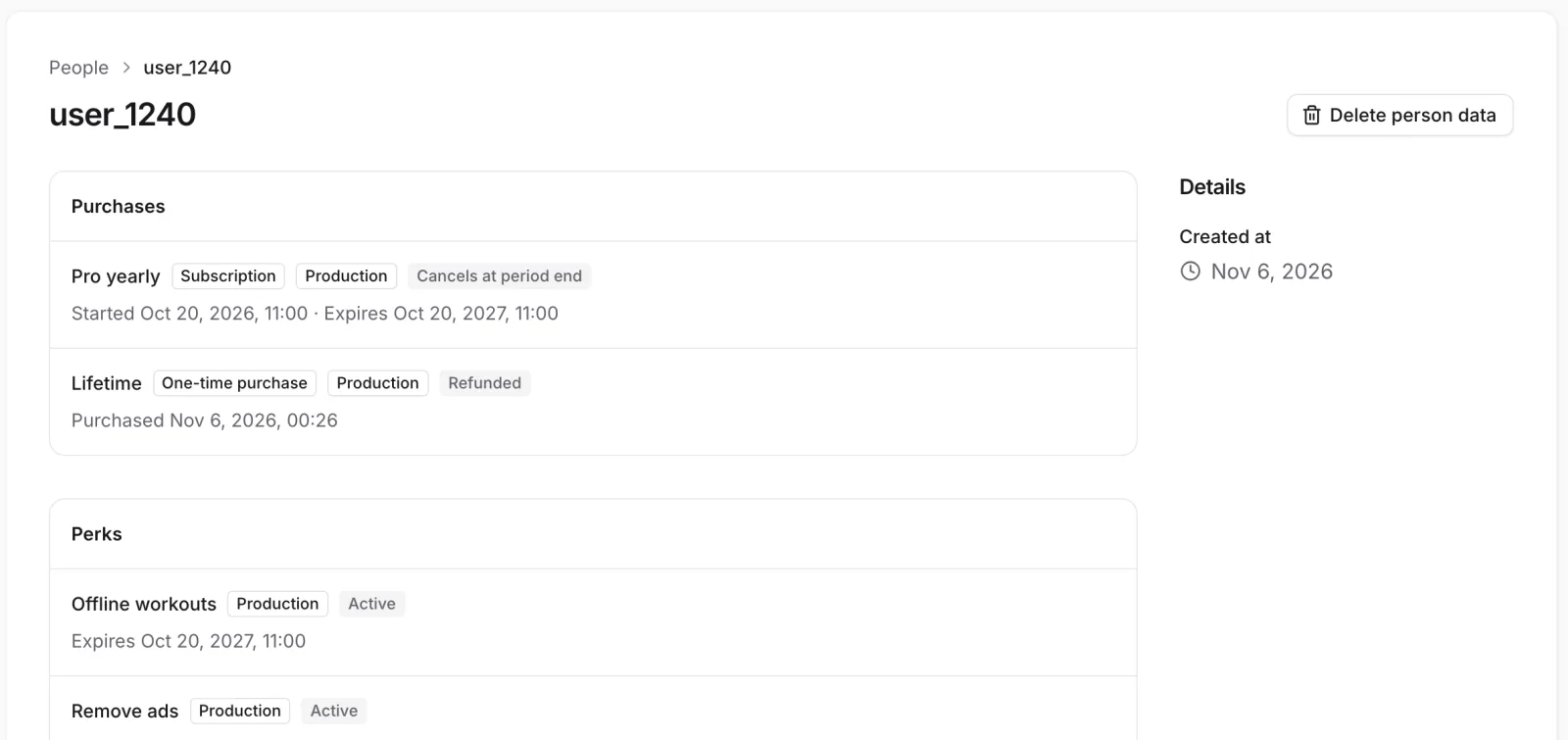 Each purchase shows whether it renews, ends or was refunded
If something's off
- The profile hasn't changed after a store refund: stores report refunds late, sometimes hours later. If nothing changes in a day, check Analytics → Data health; see Check your data.
- No Refund or Cancel button: the purchase isn't from a payment source, or it has already ended. Studio shows Refund only on a one-time purchase and Cancel only on an active subscription.
- "Could not refund the payment" or "Could not cancel the subscription": if it adds that you're not allowed to record purchases, you're a Member. Members see both buttons, but only an admin or the owner can use them, so ask an admin.
- The person still has access after a refund: on Google Play and Stripe a refund alone doesn't end a subscription. See Why someone has or lacks access.
Next steps
- Find and help a person
- Metric definitions: refunds
- Subscription lifecycle (developer docs)
Still stuck? Check Troubleshooting, ask us on Discord, or email support@voidhash.com on a paid plan.
Something wrong or missing on this page? Tell us by email or on Discord.